
Define the cargo
Add boxes and rolls with dimensions, weight and label colour. Choose the load-bearing face, set margins. Custom types are saved to your account.
The optimal packing algorithm arranges boxes on pallets, and pallets in trailers and containers - factoring in weight, stacking and loose parcels. See the result instantly in interactive 3D.
3D loading animation
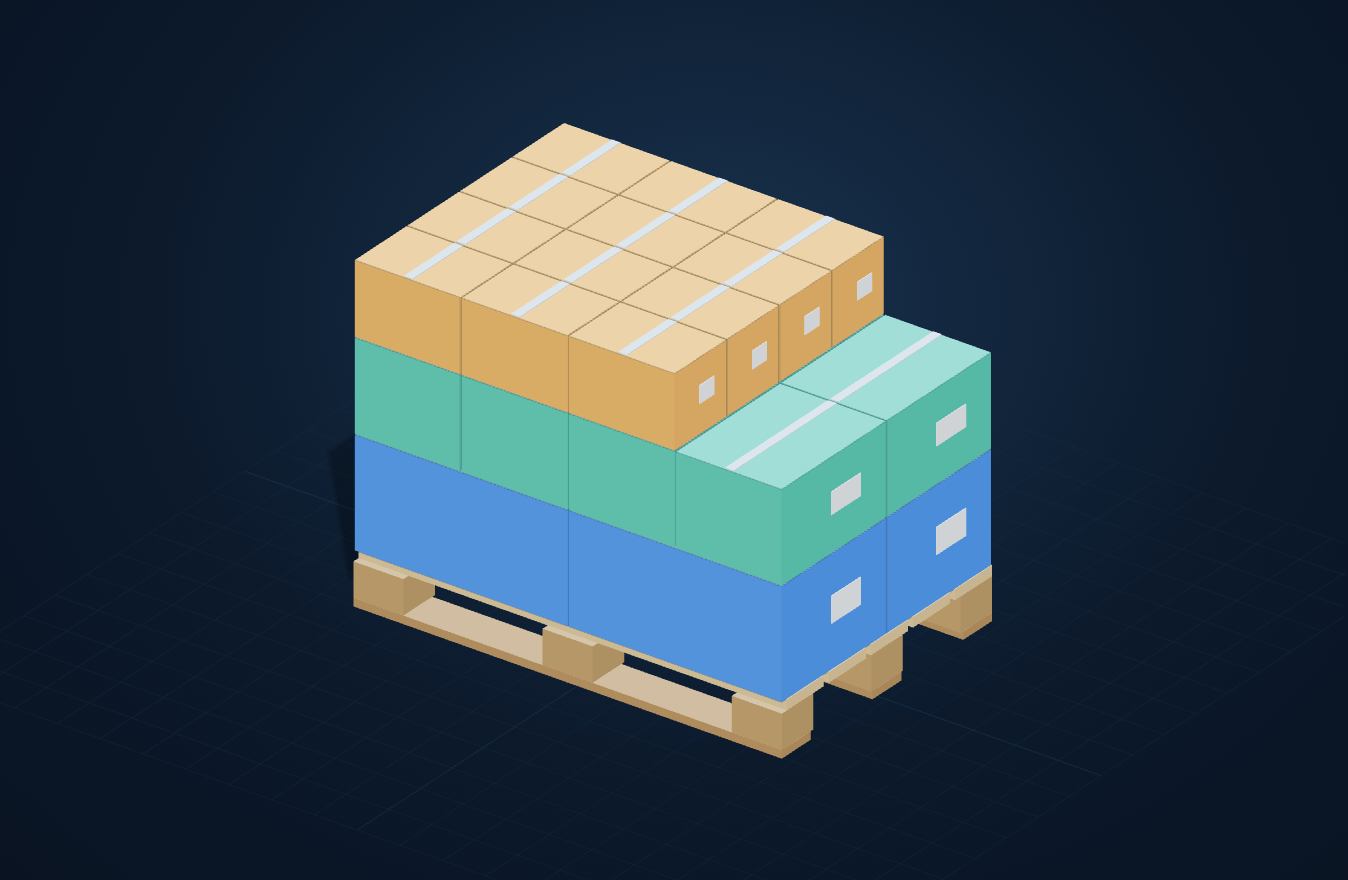
No spreadsheets, no guessing. You define the cargo - the algorithm handles the rest.
Add boxes and rolls with dimensions, weight and label colour. Choose the load-bearing face, set margins. Custom types are saved to your account.
The 3D heightmap algorithm selects orientations and placement: heaviest on the bottom, flat layers, nothing floating. Mixed and manual modes included.
Place finished pallets in the trailer or container. Stacking pallets, loose boxes filling gaps, height options - all in interactive 3D.
Choose an example, explore its calculated 3D layout and open the same inputs in the calculator.
Drag to rotate the view
Example inputs
Full camera control: rotate, zoom, pan - mouse and touch. Every box, pallet and vehicle rendered to scale.
Heaviest parcels go to the bottom layers, heaviest pallets to the vehicle floor. Lighter pallets ride on top when stacking.
Optional stacking of pallets on top of each other, respecting the vehicle height limit and matching footprint dimensions.
Boxes can stand side by side, not just in even layers. Full support guarantee - nothing hangs in the air.
Presets for Mega 13.6m, 40′ HC and custom dimensions. Loose boxes automatically fill gaps between pallets and the space above them.
Full control: place boxes by clicking the pallet, remove individual pieces, undo changes. Ideal for non-standard loads.
No need to juggle separate tools. In one unified 3D application, you plan the entire workflow: from packing cartons and building pallets, to loading trailers, containers and calculating LDM.
Check how many items fit in a carton and which box size to order - an item need not be a cuboid.
Explore capabilitiesWork out how many cartons fit on a pallet and how to stack the layers to make the most of the area and height.
Explore capabilitiesSee how many EUR and industrial pallets fit in a 13.6 m Mega trailer or truck, and how to arrange them by weight.
Explore capabilitiesPlan a 20′, 40′ and 40 HC container load - how many pallets fit and how to arrange them to best use the freight.
Explore capabilitiesWork out the loading metres your load takes and see which LDM figure to put in a freight enquiry.
Explore capabilitiesOne plan includes all five calculators. Choose monthly or annual access.
One account - all calculator features with no restrictions.
5-day free trial
Sign up and get startedFinal price · Cancel any time
Pallet3D is a web-based loading calculator that arranges cartons on pallets and pallets in trailers and containers. The optimal packing algorithm accounts for weight, stacking and loose parcels, and shows the result instantly in interactive 3D.
No. Pallet3D runs entirely in your browser - on desktop, tablet and phone. No installation, no plugins.
Cartons and rolls of any size and weight, EUR and custom pallets, plus trailers and containers. You can stack pallets, add loose parcels and choose the carton bearing face.
Full access is 50 PLN per month, with no limits or hidden fees. Every new account gets a 5-day free trial and you can cancel any time.
Yes. Your custom cartons, weights and saved pallet layouts are tied to your account and available after signing in on any device.
Tell us about custom parameters, special packing requirements or implementation support. We will review how Pallet3D can be adapted.
Pallet3D is a pallet placement calculator for anyone who wants to check a load layout faster, without counting by hand. It combines pallet and load planning in one tool, so it works just as well for arranging cartons on a pallet as for a layout in a trailer, container or van. It's a practical solution for logistics, transport and warehouse teams, available as online load planning.
If you need a load planning program, Pallet3D keeps the work in one place. It's a pallet calculator that covers the two most common operational tasks: arranging cartons on a pallet and placing pallets and cargo in a transport space. That way you don't treat palletizing and loading as two separate processes - you check them in one view.
In practice that means less jumping between spreadsheets, fewer manual corrections, and a faster answer to whether a layout makes sense before shipping. For teams that prepare shipments every day, a load calculator like this is simply a convenient reference point for operational decisions.
Pallet3D supports both a pallet placement calculator for trailers and load planning on a pallet. You can enter cartons or rolls with their dimensions and weight, then check how the system stacks them on pallets and arranges the pallets in a trailer or container. The same scope covers a program for arranging pallets in a van, when you plan van shipments.
It's a good fit when you need to compare several variants without recalculating everything from scratch by hand. The tool supports a trailer load calculator and a container load calculator, and when working with cartons it also helps with arranging cargo on a pallet in a logical, readable way.
The work starts with input data: you enter the dimensions and weight of cartons or rolls, then choose a planning method. You see the result in an interactive 3D view, so it's easier to judge the layout than from a plain numeric summary. That matters especially when load planning needs to be fast and clear for several people on the operational side.
Automatic, mixed and manual modes are available. You can also use pallet stacking, add loose parcels to free spaces, and save the plan as a PDF export. This makes it easier both to verify the plan and to pass it on without retyping data.
As a result, the carton-stacking and load-planning calculator works as a single process: from input data, through the layout calculation, to a finished plan you can look at. It's practical support for anyone who wants to move faster from "will this fit?" to a concrete loading variant.
This load planning program helps teams that need to make decisions quickly and without guesswork. Instead of relying solely on manual calculations, you can check a layout beforehand and compare it with another variant. This is especially useful where decision order matters: pallet shipments, transport planning and load-space verification.
The biggest value here is cargo-space optimisation understood operationally, not as a marketing promise: the tool helps assess how to arrange goods so the plan stays consistent and clear for the team. For a freight forwarder, transport planner or 3PL operator, that means less chaos when settling on a layout and faster control over what goes into a given shipment.
| Work area | What you check in Pallet3D | What it's for in practice |
|---|---|---|
| Pallet | Layout of cartons or rolls with their dimensions and weight | You assess faster how to prepare goods for shipment |
| Trailer | Placement of pallets and cargo in the transport space | You compare loading variants more easily |
| Container | Layout planning inside a container | You bring order to decisions for exports and consolidated shipments |
| Van | Layout for smaller transports | You check how to arrange cargo without improvising |
This approach doesn't replace a team's experience, but it gives everyone a shared reference point. For companies working in the Polish and international markets, it's simply convenient online load planning in one tool.
Pallet3D runs in the browser with no installation, so you can start working straight away, on whichever workstation you use day to day. The demo is available without registration, which makes it easy to quickly check whether the tool's way of working fits your process. That matters especially when you want to evaluate a pallet placement calculator without a rollout and without extra steps on the IT side.
The service is available online for Poland and international markets, so it fits well into the daily work of logistics teams handling different shipping directions. If you're looking for a tool to quickly verify a load layout, it's worth starting by checking how it works in practice.
The simplest next step is to launch the demo and work out a load in 3D on ready-made samples. You'll immediately see how Pallet3D supports a pallet placement calculator, load planning, and operational work with pallets, trailers and containers.
Try the Pallet3D demo without registration and work out the layout on your own pallet in 3D.
Enter a new password for your account.